What a Failed AI Experiment Leaves Running in AWS, and How to Find It
The FinOps Foundation says to decommission failed AI experiments with a checklist. Here are the read-only AWS CLI commands that find what is still running.
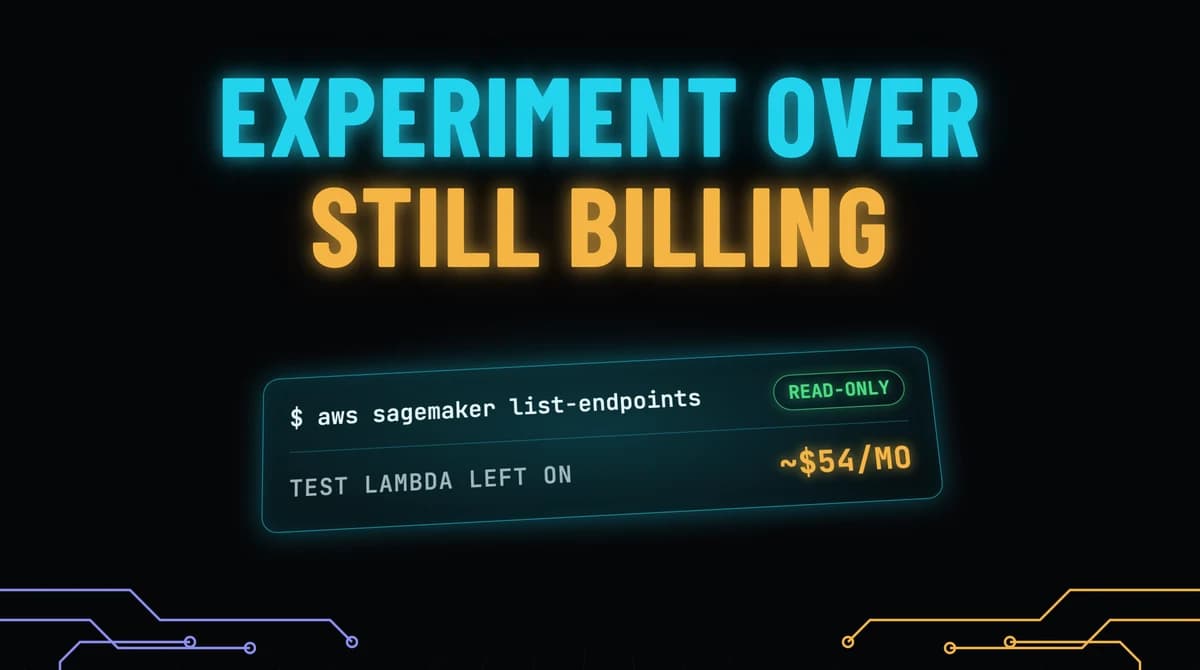
A failed AI experiment in AWS can leave four kinds of things behind: machines (SageMaker notebooks, GPU instances, provisioned capacity), storage (EBS volumes, snapshots, S3 buckets of training data), endpoints that still bill by the hour, and keys that still work. Each one can be listed with a read-only AWS CLI command, and this post gives you those commands.
What the FinOps Foundation article says
The FinOps Foundation published The Experimental AI Spend Endgame: Allocation, Governance, and Lifecycle Management on October 30, 2026. Its two authors are from the FinOps Foundation and Assurant. Read it. It is a clear guide to running AI experiments as a lifecycle with an owner, a budget cap and an end date.
Three points matter here. It asks for a tagging schema, enforced "at provisioning so untagged resources can’t be created". It asks for budget alerts and a time-to-live policy on every environment. And an experiment that fails its decision point is shut down using "a checklist that confirms compute, storage, endpoints, and keys are all decommissioned".
The article names no cloud provider. This post is the AWS side of that checklist. Mapping its four words to AWS services is my reading, not the authors'.
What does an abandoned AI experiment leave running in AWS?
- Compute: SageMaker notebook instances, GPU EC2 instances, Lambda functions with provisioned concurrency, Bedrock provisioned throughput.
- Storage: unattached EBS volumes, old EBS snapshots, S3 buckets of training data and model artifacts, Bedrock custom models (the Bedrock pricing page lists a monthly storage charge for them).
- Endpoints: SageMaker real-time endpoints. They bill per instance-hour while
InService, with or without requests. - Keys: IAM access keys made for a script, and Bedrock long-term API keys.
The article's example of the older, predictable kind of waste is a VM left after an experiment ends, when "nobody tears it down". The things above are the AWS versions of that VM.
How do I find them?
Everything here is read-only. Run each command in every region the experiment used: IAM and the S3 bucket list are global, the rest are per region.
If the experiment was tagged the way the article asks, start with the tag. Untagged leftovers will not show up, so run the rest anyway.
aws resourcegroupstaggingapi get-resources \
  --tag-filters Key=<your-experiment-tag> \
  --query 'ResourceTagMappingList[].ResourceARN' --output text
Compute
# Notebook instances that are running (billed per hour)
aws sagemaker list-notebook-instances --status-equals InService \
  --query 'NotebookInstances[].[NotebookInstanceName,InstanceType,LastModifiedTime]' --output table

# GPU and accelerator instances, running or stopped
aws ec2 describe-instances \
  --filters "Name=instance-type,Values=p*,g*,trn*,inf*" "Name=instance-state-name,Values=running,stopped" \
  --query 'Reservations[].Instances[].[InstanceId,InstanceType,State.Name,LaunchTime]' --output table

# Bedrock provisioned throughput, with any commitment and its end date
aws bedrock list-provisioned-model-throughputs \
  --query 'provisionedModelSummaries[].[provisionedModelName,status,modelUnits,commitmentDuration,commitmentExpirationTime]' --output table

# Lambda provisioned concurrency (one call per function)
for fn in $(aws lambda list-functions --query 'Functions[].FunctionName' --output text); do
  echo "$fn: $(aws lambda list-provisioned-concurrency-configs --function-name "$fn" \
    --query 'ProvisionedConcurrencyConfigs[].AllocatedProvisionedConcurrentExecutions' --output text)"
done
A stopped GPU instance stops the compute charge, but its EBS volumes keep billing. Bedrock prices provisioned throughput per model unit per hour, so check commitmentExpirationTime before you plan anything.
Storage
# EBS volumes attached to nothing
aws ec2 describe-volumes --filters Name=status,Values=available \
  --query 'Volumes[].[VolumeId,Size,VolumeType,CreateTime]' --output table

# Your snapshots, oldest first
aws ec2 describe-snapshots --owner-ids self \
  --query 'sort_by(Snapshots,&StartTime)[].[SnapshotId,VolumeId,VolumeSize,StartTime]' --output table

# S3 buckets with the SageMaker default name prefix
aws s3api list-buckets \
  --query "Buckets[?starts_with(Name, 'sagemaker-')].[Name,CreationDate]" --output table

# Bedrock custom models
aws bedrock list-custom-models --query 'modelSummaries[].[modelName,creationTime]' --output table
Training data often lives in a bucket you named yourself, so also look at bucket names and creation dates around the experiment's start.
Endpoints
aws sagemaker list-endpoints --status-equals InService \
  --query 'Endpoints[].[EndpointName,CreationTime,LastModifiedTime]' --output table
To tell whether anyone still calls an endpoint, read its Invocations metric. I covered that, and the other SageMaker checks, in Your AI Bill Is a Cloud Bill: What to Check on SageMaker.
Keys
# Bedrock long-term API keys, for every IAM user (needs a recent AWS CLI)
aws iam list-service-specific-credentials --service-name bedrock.amazonaws.com --all-users \
  --query 'ServiceSpecificCredentials[].[UserName,Status,CreateDate,ExpirationDate]' --output table

# Access keys for a user, then when each key was last used
aws iam list-access-keys --user-name <user-name> \
  --query 'AccessKeyMetadata[].[AccessKeyId,Status,CreateDate]' --output table
aws iam get-access-key-last-used --access-key-id <access-key-id> \
  --query 'AccessKeyLastUsed.[LastUsedDate,ServiceName]' --output text
Bedrock short-term API keys are not in that list. AWS says they last 12 hours at most. Keys cost nothing on the bill. They are on the checklist because a working key to a deleted experiment is a security risk.
What do I check before deleting?
- Who owns it. The owner tag, or the person who launched it. Ask before you delete.
- Whether it is really unused. Zero invocations for a week is evidence, not proof. A monthly batch job looks idle for weeks.
- What depends on it. An endpoint config points at a model; a model points at artifacts in S3. Delete from the top down.
- What you need to keep. Snapshot a volume you might want later, and copy any results out of the bucket.
- Commitments. Provisioned capacity on a commitment can keep billing until the commitment ends. Read the term first.
- Keys last. Deactivate a key, wait a few days, then delete it. A deactivated key can be turned back on.
A real one from our own account
This one was not even an AI experiment. While building CloudWise, we found a test Lambda with 5 GB of provisioned concurrency, left running after its test passed. It cost about $54 a month, and startup credits hid it for over two months. The test was done. Nobody had decommissioned the compute.
Which of these does CloudWise check?
The free CLI covers part of the list:
- Compute:
idle_sagemaker_notebook,stopped_sagemaker_notebook_storage,idle_ec2(hourly CPU under 5 percent average for 14 days, with no CPU peaks),stopped_ec2_with_ebs, andlambda_provisioned_concurrency_idle(utilization under 10 percent for 14 days). - Storage:
unattached_ebs,old_ebs_snapshot(at least 90 days old),orphaned_ebs_snapshot,no_lifecycle_policyands3_empty_bucketfor S3. - Endpoints:
idle_sagemaker_endpoint(zero invocations for 7 days).
What it does not cover, said plainly: it has no check for Bedrock provisioned throughput or custom models, no GPU-specific check (a GPU instance is flagged only if its CPU meets the idle EC2 rule, and instances in Auto Scaling groups, EKS, Elastic Beanstalk, EMR, Spot Fleet and EC2 Fleet are skipped), no check that finds a training-data bucket as such (no_lifecycle_policy flags a bucket of 10 GB or more without lifecycle rules, and s3_empty_bucket only empty ones), and no check for IAM access keys or Bedrock API keys. For those, use the commands above.
The CLI is open source under the Apache License 2.0 (the CLI only, not the hosted product). It runs on your machine with your own read-only credentials. Nothing is sent to CloudWise unless you choose to share a summary when it asks (the default is no).
pipx install cloudcostwise
cloudcostwise scan --profile my-profile --regions us-east-1
AWS bills the scan's Cost Explorer calls; add --no-cost-explorer to skip them. If you would rather watch than read, The Quiet Bill is a short film about this kind of waste.
Free, read-only, a few minutes: cloudcostwise.io
Find this waste in your own account
Run the free scanner on your own machine. Read-only, no signup, and nothing is sent to CloudWise unless you choose to share a summary at the end.
$ pipx install cloudcostwise
What it checksPrefer a dashboard? Start a free hosted scan →